
Arizona Resident Records Coverage
Arizona has no statewide list of everyone who lives in the state. An Arizona assessor can name an owner or tax contact, not everyone at the parcel; an Arizona court index can point to a case, not prove identity. Begin with a known Arizona county and use another record to test a name match.
| Record set | What it can establish | Custodian or search path | Access route |
|---|---|---|---|
| Arizona assessor and deed | Owner or tax contact, parcel, recorded party, document clue | County assessor and recorder | Portal, counter, request, or copy order |
| Arizona court case | Case number, party role, court, date, status lead | Public Access, eAccess, local clerk | Online index; public document purchase or clerk request |
| Arizona birth and death history | Historical name and event match | ADHS genealogy and Bureau of Vital Records | 75-year birth / 50-year death index; current copies restricted |
| Arizona marriage and divorce | County license or public case | Issuing county clerk or Superior Court | County or court request; sealed details stay closed |
| Arizona voter registration | Own current status and election services | my.arizona.vote; county recorder | Self-check; other access follows voter-record law |
| Arizona probate, obituary, cemetery | Estate role, family link, death notice, burial clue | Superior Court, newspaper, library, cemetery | Public case search, archive, index, or focused request |
| Business and license | Agent, principal, entity role, license status | Arizona Business Center and licensing boards | Public search or board record channel |
| Directories and yearbooks | Dated address, school, firm, historical name | Arizona Memory Project, State Library, local archives | Scan, Reading Room, microfilm, mail, or local collection |
| Corrections and county files | Inmate, warrant, or sheriff entry to verify | ADCRR, AZDPS, county sheriff, named court | Separate portals and local units; no statewide jail roster |
Arizona's 15 counties have separate assessors, recorders, and Superior Court clerks. The inspected online examples from Maricopa and Pima reflect Arizona practice, but they do not stand in for the other counties. If you do not know the Arizona county, use a place, parcel, or older address to narrow the jurisdiction before requesting a record.
For a present-day Arizona lead, begin with an address or county and compare an assessor entry with a recorded deed or public court filing. For Arizona family history, move toward yearbooks, obituaries, the State Library, and historical indexes. The exact city-directory holdings and search steps are on the Arizona city directory page, where print and digital runs are listed by year.
Arizona Resident Court Case Search
The Arizona Judicial Branch Public Access portal is a case lead finder, not the official file. At inspection it covered 177 of 184 courts. Search requires the CAPTCHA and Submit button; the page says not to press Enter. Show unavailable courts exposes coverage gaps. Updates post Friday for data through the prior Wednesday, and the portal warns that entries can be incomplete or stale.
Public Access shows case data; eAccess is the Superior Court document route.
| Portal | Field or control | Type and required status | What to expect |
|---|---|---|---|
| Arizona Public Access | Retype characters from picture | Two text inputs; required before search | Random verification words; click Submit to continue |
| Arizona Public Access | Submit | Button; required | The page says to click it instead of pressing Enter |
| Arizona Public Access | Show unavailable courts | Optional link or control | Reveals courts not participating or temporarily unavailable |
| Arizona Public Access | Case search | Linked search mode after verification | Search interface follows the CAPTCHA step |
| Arizona Public Access | Document Search / eAccess | Link | Routes Superior Court document searches away from the summary index |
| Arizona eAccess | Enter Case Number or Party Name Here | Text; full or partial text accepted | Case number or party-name search |
| Arizona eAccess | Select a Court | Dropdown; optional | Defaults to All Courts |
| Arizona eAccess | Advanced Search | Optional control | Added criteria default to AND; options can change to OR or NOT |
| Arizona eAccess | Search | Button | Runs the selected case or party criteria |
The Arizona Public Access case search shows its verification step and the notices that define the index's limits.
Review the Arizona court lookup screen before searching so the CAPTCHA and unavailable-court controls are clear.
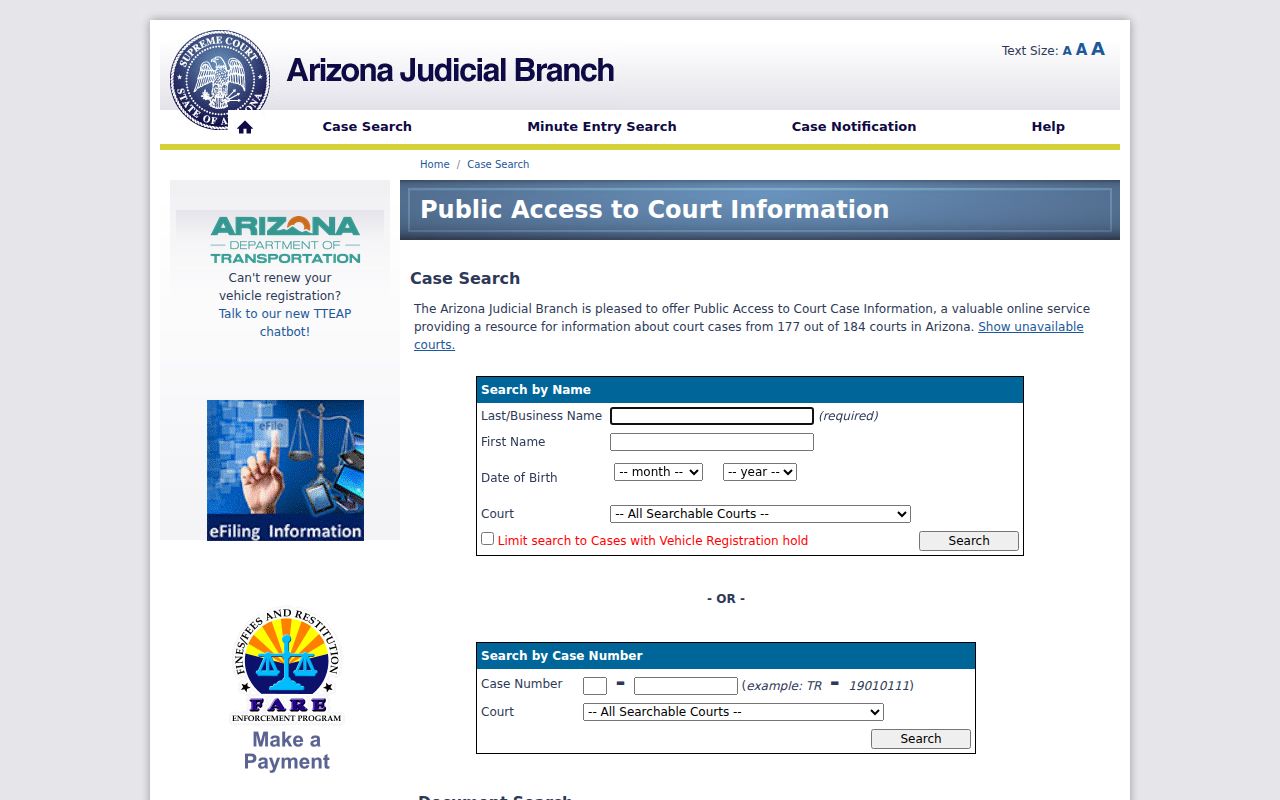
The notice beside the form matters: a search result can guide the next request, but only the filing court can confirm its record.
A public result can include these fields, though a given case may omit some:
- Party name and role in an Arizona case, when shown.
- Arizona case number, filing court or county, and filing date.
- Arizona case type, events or hearings, and docket entries.
- Arizona disposition or current status, where exposed.
- Public document title or image link, which may need a separate purchase.
Sealed cases, Orders of Protection, mental-health and probate matters, victim or witness data, juvenile incorrigible or delinquency cases, some Superior Court administrative functions, and local-ordinance charges are excluded. Record the search date and coverage beside any lead.
Checking an Arizona Resident Across Records
For a right-person check in Arizona, keep the least-confusable details: county, middle initial, known street, parcel, spouse, birth year, or business role. Search likely Arizona name forms and note which source returns each one. A same-name Arizona case hit can belong to another person; a mailing address can differ from the parcel's physical address.
- Note the Arizona county, full name, middle initial, known address, and relevant date.
- Search the Arizona county assessor; keep parcel, mailing address, and deed reference distinct.
- Run exact and variant names in the Arizona court index; save the case number and court.
- Compare a dated directory, obituary, business record, or vital index for another shared detail.
- Ask the Arizona custodian to confirm the public file or explain its correction route.
- Docket
- The court's case record of filings, events, and orders; a summary view may leave out documents.
- Index versus image
- An index points to a record by name or number; an image is a view of the filed page and may have a separate fee or restriction.
- Certified copy
- A copy marked by the custodian as an official duplicate, issued under that office's rules.
Record the source, county, query, result date, and any warning. A repeatable trail helps separate a verified fact from a lead.
Arizona Court Records and Clerk Requests
Arizona eAccess carries Superior Court civil and criminal filings from July 1, 2010; Pima County criminal files begin July 1, 2015. It is a document route, separate from the statewide case summary. Sealed, restricted, confidential, and protected pages are not available. Public documents can be bought one at a time or through a subscription, and electronically certified copies have an added fee. Confirm the live portal's charge before ordering.
Open the Arizona eAccess portal to review its case and party search entry point before following a result to a document.
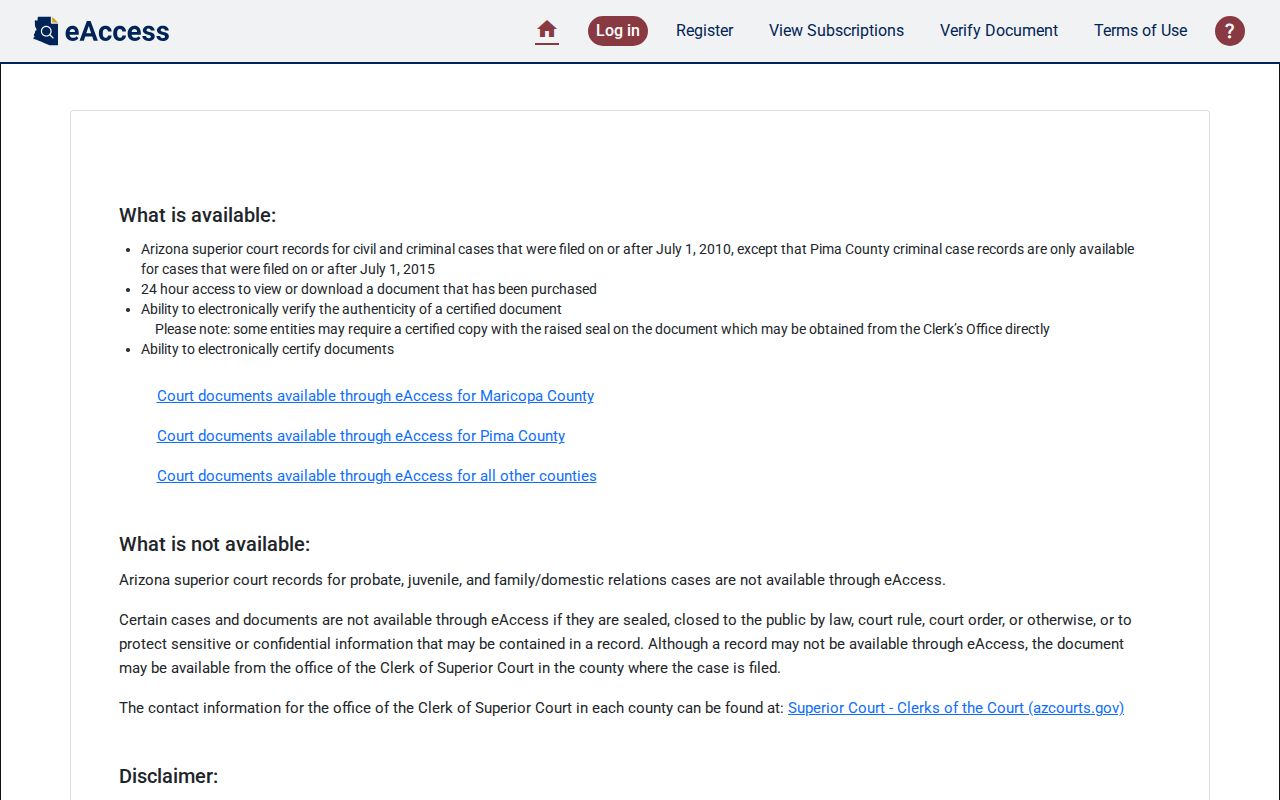
A case or party search helps find the public file; the county clerk remains the fallback for older, unavailable, or restricted records.
For an Arizona municipal or justice-court case missing from the statewide index, contact that court's clerk or use its public counter terminal. For older Arizona Superior Court matters, ask the county Clerk of Superior Court about archived retrieval, terminal hours, copy and certification charges, and whether a case number is needed. Arizona federal cases use PACER; an account is required and page charges follow the federal schedule, so confirm the district and court division first.
Arizona Vital Records and Old Indexes
The Arizona Department of Health Services Bureau of Vital Records keeps current Arizona birth and death records, while the Arizona public genealogy search covers older entries after set waiting periods. A.R.S. §36-342 restricts disclosure; §36-351 transfers birth records after 75 years and death records after 50. A genealogy image is not certified. Marriage and divorce records follow the county or Superior Court where the license or case was filed, not a statewide ADHS marriage index.
The ADHS genealogy search offers first name, last name, mother's maiden name, record type, birth-year range, death-year range, an Include similar names checkbox, and Clear and Search buttons. Search broadly when a spelling is uncertain, then compare the displayed event years and source. The Bureau's vital-record page links to forms, fees, eligibility, local offices, and expedited ordering.
Use the Arizona Bureau of Vital Records page to check current eligibility and request channels.
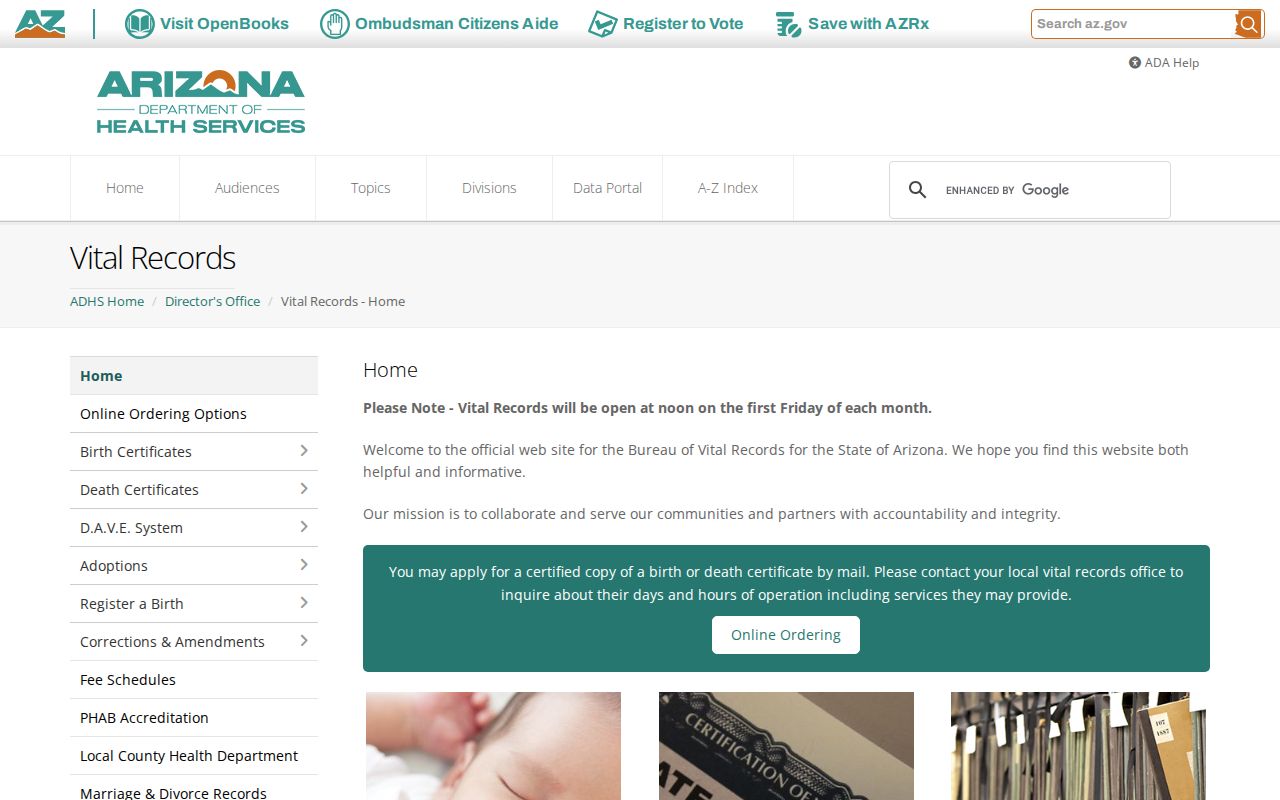
The live ADHS page is the route for current forms and participating county offices; historical genealogy results remain noncertified clues.
Current certified copies depend on relationship, identification, and record-specific eligibility. ADHS accepts orders through its Bureau, VitalChek, and participating Arizona county health offices; confirm local walk-in service and payment rules first. The Bureau is at 150 N. 18th Ave., Suite 120, Phoenix; it lists 602-364-1300, Monday through Friday, 8 a.m. to 5 p.m. Mail forms go to PO Box 6018, Phoenix, AZ 85005.
- Select Death, Fetal Death, or Stillbirth on the Arizona application, then state the copy count, purpose, event date, and place.
- Enter the Arizona applicant's name, mailing address, phone, email, relationship, and original signature.
- Include a signed government photo ID copy or notarized signature, plus proof of relationship under Arizona eligibility rules.
- Enclose payment and a self-addressed stamped envelope; the Arizona form says not to mail cash.
- Check the live Arizona fee schedule: the inspected form showed $20 per copy and $30 for correction, while an older rule page listed $19.
Arizona Voter Record Self-Check
my.arizona.vote is for a voter checking their own Arizona status and ballot services. It is not a public name search for another person. The Arizona form asks for county, last name, date of birth, and, depending on the record, an identification method and number or a residence address; it also uses a verification step. Some Arizona address functions route Maricopa and Pima voters to county tools. A voter hit should never be treated as proof of current residence by someone else.
The Arizona voter portal's individual lookup shows its own fields. State genealogy and business searches use separate forms and rules.
| Official search | Field or button | Type or condition | Use and format |
|---|---|---|---|
| Arizona Voter Portal | County | Select; appears required | Choose county for the individual's status search |
| Arizona Voter Portal | Last Name; Date of Birth | Text and date; required with voter search | Identity fields for the voter's own check |
| Arizona Voter Portal | Identification Method; Identification # | Select optional alternate; number conditional | Options depend on what was supplied at registration; tribal ID uses no spaces or punctuation |
| Arizona Voter Portal | Residence Address | Text; address mode | Some Maricopa and Pima address functions route to county tools |
| Arizona Voter Portal | Recaptcha; CLEAR / SEARCH | Verification and buttons | Controls shown on the inspected form |
| Arizona ADHS genealogy | First name; Last name; Mother's maiden | Text; optional | Names used to query an old vital index |
| Arizona ADHS genealogy | Record type; Date of birth from/to; Date of death from/to | Select and year-text pairs; optional | Year fields use YYYY; record-type choices appear in the live dropdown |
| Arizona ADHS genealogy | Include similar names; Clear / Search | Checkbox and buttons | Similar-name option broadens matches |
| Arizona Business Center | Entity Name; Statutory Agent Name; Principal Name; Entity ID | Text fields | Searches business ties, not a home address |
| Arizona Business Center | Entity Type; Entity Status; Name Type; County | Filters | Use to narrow the public entity search |
Open the Arizona Voter Information Portal only for the voter's own registration check.
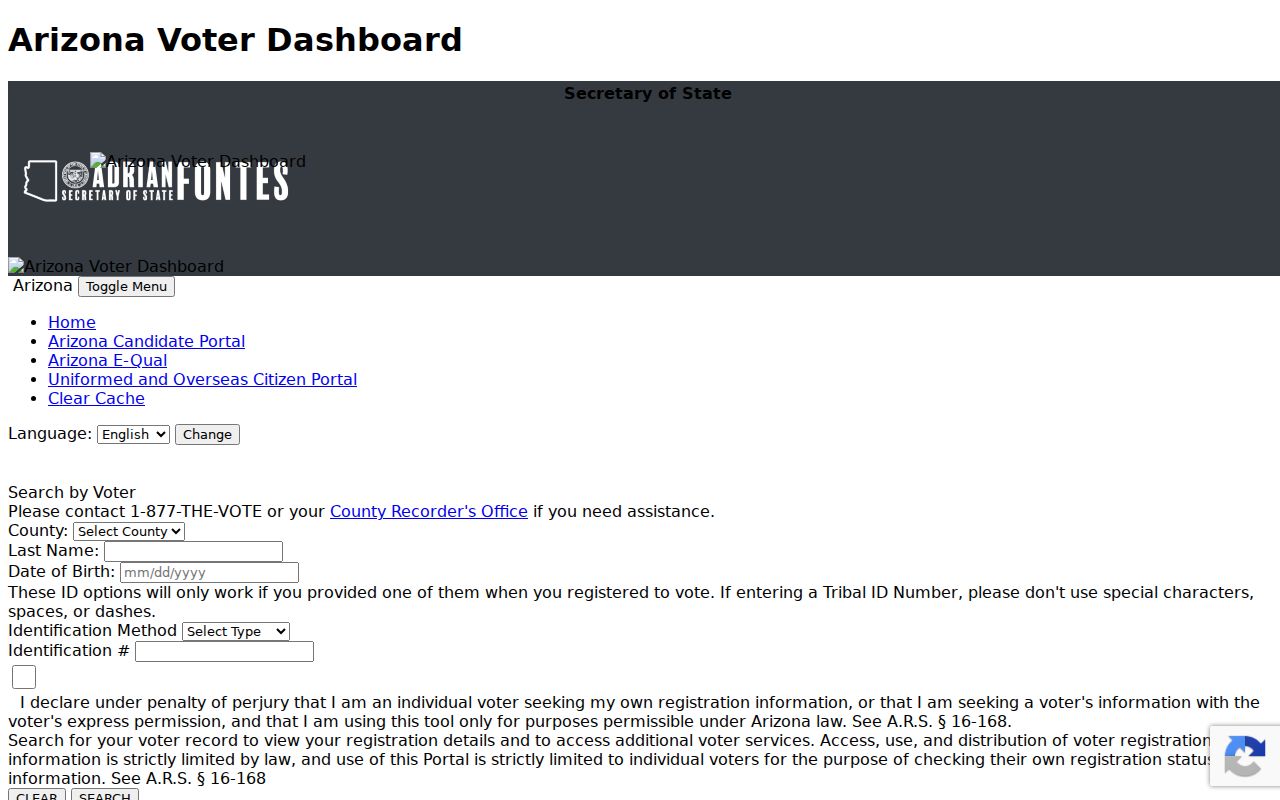
The portal's own-use boundary is part of the result; public registration-file requests follow separate county and state rules.
Arizona law permits limited inspection of voter files and withholds sensitive identifiers. Public fields can include name, party preference, registration date, residence and mailing addresses, ZIP, birth year, phone or occupation if supplied, precinct, and voting history for the prior four years. Month and day of birth, Social Security and ID numbers, parent information, birthplace, signatures, and email are withheld. A.R.S. §§16-153 and 16-168 also protect certain people and restrict copying or redistribution. Maricopa's voter-record request page asks for a specific voter's full name, date of birth, and last known address; protected files cannot be released there. Historical Great Registers are a separate Arizona State Archives genealogy resource and do not show a current status.
Arizona Heir Search and Adoption Records
For an Arizona estate question, identify the Arizona county where the person died or held property, then search the Superior Court probate index for the decedent's name. Save the case number and executor or personal representative, and ask the clerk which public petitions or orders can be viewed. An obituary, cemetery record, and deed transfer may add family names or a last known place. Arizona probate files can omit protected details, so a blank online result calls for a clerk or archive check rather than a guess.
Arizona birth-parent and adoption research has a separate route. ADHS links adoption guidance, original pre-adoptive certificate procedures, foreign-birth adoption information, and putative-father registry notices. Follow the Arizona court or agency's authorized release process and any confidential-intermediary rule; a public genealogy index cannot open a restricted certificate. For a death or birth copy, use the eligible requester instructions from the Bureau, not a name match in an old index.
For an Arizona classmate search, a school and year help more than a statewide name alone. The Arizona Memory Project contains nearly 600 yearbooks from 1903 through 1996, and Arizona State Library, university, and school archives may hold other annuals, alumni publications, or campus papers. Search the school, town, surname, and likely year together. A yearbook is a dated snapshot; it can confirm a school connection but does not supply a current contact address.
When an Arizona annual is missing, check the Arizona Newspaper Project, local library, reunion material, and school archive. The Arizona Memory Project's genealogy collections include the yearbook, directory, and newspaper groups. The Arizona State Library's city-directory and newspaper request form accepts a specific name or business, city, known address, and date. Staff search up to three directory years and only a two-week period for a newspaper item, so give a narrow date range. A request may be mailed or emailed; staff do not guarantee a find. For a local archive that is not digitized, ask about in-person service or a reference request before assuming no record exists.
Arizona Business Records after eCorp
The Arizona Corporation Commission moved public entity search to the Arizona Business Center on January 12, 2026, replacing eCorp. Search the current Arizona Business Center public records entry by entity name, statutory agent, principal, entity ID, county, or the entity type, status, and name-type filters. A result can connect a person to a company filing, agent role, officer title, or known business address. It does not establish that the listed address is the person's home.
On July 20, 2026, the Arizona Commission added government-ID verification for new and existing user accounts, accepting state ID, permanent-resident or visa documents, passports, and passport cards. Arizona public entity search remains available, while Arizona filing and account actions require identity verification. Record the entity ID, role, filing date, and status date, then check a newer filing for a current business tie.
Professional credentials use the Arizona professional-license directory, which routes searches to boards for fields such as medicine, nursing, contracting, teaching, pharmacy, real estate, and physical therapy. Each board sets its own public details and correction path. A credential or statutory-agent record is an affiliation clue, not proof of where someone lives.
Arizona Resident Records Privacy Limits
Arizona's public records law, A.R.S. §§39-121 through 39-121.03, allows inspection during office hours and lets a requester ask an Arizona office for copies, printouts, photographs, or mailed copies. The request goes to the Arizona office that holds the record. A noncommercial Arizona request includes an affirmation; a commercial request states its purpose. Copy and postage costs may apply, and the custodian need not create a new analysis. For an uncertain Arizona search, name the record type, date range, county, and whether inspection or a copy is wanted.
The Arizona Address Confidentiality Program (A.R.S. §§41-162 to 41-167) serves qualifying survivors of domestic violence, sexual offenses, or stalking through a substitute address and mail forwarding. Applicants enroll through a registered Application Assistant; certification lasts five years. State and local agencies must accept the substitute address and, on request, redact addresses from records created up to 90 days before authorization. Other protections include voter confidentiality, recorder redaction, and limits on vital, adoption, juvenile, sealed, or mental-health records. Arizona harassment and stalking statutes, A.R.S. §§13-2921 and 13-2923, bar specified repeated conduct; open records do not permit tracking, threats, or repeated unwanted contact.
Correct an Arizona error at its source. Give the Arizona assessor the parcel number and supporting deed or tax record; give the recorder a document number and indexing error; ask the Arizona court clerk about a case notation or correction; contact ADHS about an Arizona genealogy-index extraction problem; and contact the county recorder for voter-status changes. Arizona's official sources did not identify one statewide deletion portal for every commercial data broker. A provider's opt-out may remove its copy, but only the Arizona custodian can fix the underlying public record.
Lawful use. Use Arizona public records for a lawful personal purpose, and respect each custodian's access limits. Do not use a name, address, or court lead to stalk, harass, intimidate, or harm anyone.